Web Technologies Word Search
Click and drag to select words
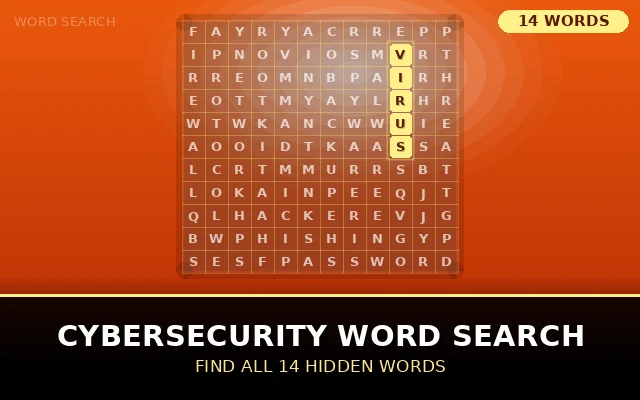
Firewall, malware, encryption and more. Play our Cybersecurity word search and l...
Play Now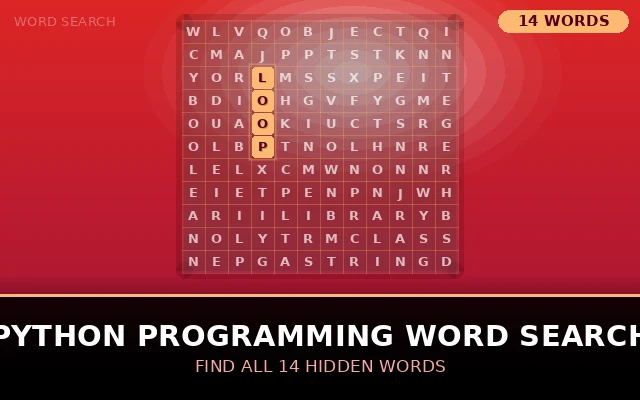
Function, loop, variable and more hidden in the grid. Play our Python Programmin...
Play Now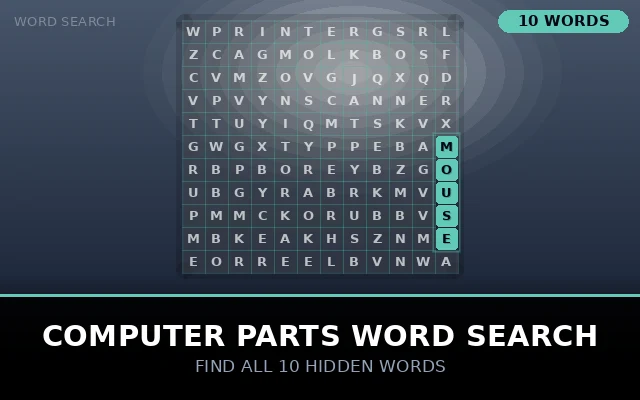
Keyboard, monitor, mouse and more. Play our Computer Parts word search and learn...
Play NowHTML, CSS, API and more hidden in the grid. Play our Web Technologies word search and learn essential web vocabulary. Free online no sign-up needed.
Firewall, malware, encryption and more. Play our Cybersecurity word search and learn essential digital safety terms. Free online no sign-up needed.
Play Now
Function, loop, variable and more hidden in the grid. Play our Python Programming word search and learn coding vocabulary. Free online no sign-up.
Play Now
Keyboard, monitor, mouse and more. Play our Computer Parts word search and learn essential hardware vocabulary. Free online no sign-up needed.
Play NowWeb Technologies Word Search Guides & Articles
Web Technologies Word Search: The Ultimate Educational Resource for Students and Educators
In today's digital age, learning about web development and programming has become essential for students and professionals alike. One engaging way to reinforce technical vocabulary and concepts is through interactive educational activities. A web technologies word search serves as an excellent tool for making the learning process both fun and memorable, helping students retain important terminology while enjoying a puzzle-solving experience.
Understanding the Educational Value of Technology-Based Puzzles
Educational games and puzzles have long been recognized as effective teaching tools. When it comes to technical subjects like computer science and web development, finding creative ways to engage learners can make all the difference. A web development word search offers a unique approach to vocabulary building, allowing students to familiarize themselves with industry-standard terms in a low-pressure, enjoyable format.
These puzzles work particularly well because they combine visual scanning skills with knowledge retention. As students search for words like HTML, CSS, JavaScript, and various frameworks, they're simultaneously reviewing and reinforcing their understanding of these technologies. This active learning approach proves more effective than passive reading, as it requires students to actively engage with the material.

The Growing Popularity of Internet Technologies Word Search Activities
The demand for internet technologies word search activities has grown significantly as coding education expands into mainstream curricula. Schools, coding bootcamps, and online learning platforms have all recognized the value of incorporating game-based learning elements into their programs. These puzzles serve multiple purposes: they can function as warm-up activities, review sessions, or even assessment tools that feel less intimidating than traditional tests.
What makes a web programming word search particularly valuable is its versatility. Educators can customize these puzzles to focus on specific topics, whether that's frontend development, backend technologies, or full-stack concepts. This flexibility allows instructors to align the activity perfectly with their current lesson plans and learning objectives.
Creating Comprehensive Web Technologies Crossword Puzzle Alternatives
While crossword puzzles require students to recall definitions and clues, word search puzzles offer a different cognitive challenge. A web technologies crossword puzzle might test deeper understanding, but word searches excel at helping students recognize and become comfortable with technical terminology. Both formats have their place in a well-rounded educational toolkit.
The beauty of these activities lies in their accessibility. Students at various skill levels can participate and benefit from them. Beginners might appreciate the chance to become familiar with terms they're just starting to encounter, while more advanced learners can use these puzzles as quick review sessions before exams or practical assessments.
Implementing Web Development Vocabulary Game Strategies in the Classroom
A web development vocabulary game can take many forms, and word searches represent one of the most straightforward options to implement. Teachers can introduce these activities in various ways throughout their courses. Some educators use them as icebreakers at the beginning of class, while others incorporate them as transition activities between lectures and hands-on coding sessions.
The competitive element can also be leveraged effectively. Instructors might time students as they complete puzzles, creating a friendly race that energizes the classroom. Alternatively, students can work in pairs or small groups, promoting collaboration and discussion about the technologies they encounter in the puzzle.
Integrating Computer Science Word Search Activities into Curriculum
A well-designed computer science word search does more than just list random technical terms. The best puzzles are thoughtfully curated to include related concepts and technologies that students will encounter together in real-world applications. For instance, a puzzle focused on web development might include terms like responsive design, frameworks, APIs, and version control systems all in one grid.
This intentional grouping helps students see connections between different technologies and understand how they work together in actual development environments. When students spot these related terms clustered in the puzzle, it reinforces the holistic nature of web development and helps them build mental models of how different technologies integrate.
The Appeal of Coding Word Search Puzzle Formats
The coding word search puzzle format appeals to a wide audience because it requires no special equipment or technology to complete. While digital versions exist and offer their own advantages, traditional paper-based puzzles remain popular for their simplicity and accessibility. Students can work on them anywhere, without worrying about internet connections or device compatibility.
These puzzles also provide a welcome break from screen time, which is particularly valuable for students who spend hours each day coding at their computers. The tactile experience of circling words on paper offers a different kind of engagement that many learners find refreshing and beneficial for their overall learning experience.
Exploring Programming Languages Word Search Options
A programming languages word search might include terms like Python, JavaScript, Ruby, PHP, Java, C++, Swift, and Kotlin. By encountering these language names repeatedly in various contexts, students develop stronger familiarity with the programming landscape. They begin to understand which languages are commonly used together and which ones serve specific purposes in the development ecosystem.
This exposure is particularly valuable for students who are still exploring different programming paths. Seeing the breadth of available languages in a single puzzle can spark curiosity and encourage students to research technologies they haven't yet encountered in their coursework.
Benefits of Technology Word Find Puzzle Activities
A technology word find puzzle serves as more than just entertainment. These activities help develop important cognitive skills including pattern recognition, visual scanning, and focused attention. As students search through grids of letters looking for specific terms, they're training their brains to identify patterns and filter relevant information from noise — skills that prove invaluable in debugging code and solving programming challenges.
Furthermore, the satisfaction of finding each word releases small amounts of dopamine, creating positive associations with the technical terminology. This psychological effect shouldn't be underestimated; when learning feels rewarding, students are more likely to engage deeply with the material and maintain their motivation over time.
Creating Web Design Word Search Printable Resources
Many educators seek out web design word search printable resources that they can distribute to students easily. The printable format offers several advantages: students can annotate their puzzles, teachers can quickly assess completion, and these resources can be filed in portfolios as evidence of learning activities.
When creating printable word searches for web design topics, it's helpful to include terms that span the full spectrum of design considerations. This might include typography, color theory, user experience, accessibility, wireframing, prototyping, and responsive design principles. Such comprehensive coverage ensures students gain exposure to the complete design process.
Focusing on HTML CSS JavaScript Word Search Content
An HTML CSS JavaScript word search targets the three fundamental technologies of frontend web development. By combining these core languages in a single puzzle, educators reinforce the interconnected nature of these technologies. Students come to understand that these three languages work together to create the websites and applications they use daily.
Including specific terms like tags, selectors, functions, variables, DOM manipulation, and event listeners within such puzzles helps students move beyond just language names to understanding actual concepts and components. This deeper level of engagement promotes more meaningful learning outcomes.
Specialized Frontend Technologies Word Search Applications
A frontend technologies word search might expand beyond the basic trio of HTML, CSS, and JavaScript to include modern frameworks and libraries. Terms like React, Angular, Vue, Webpack, Babel, TypeScript, and SASS represent the evolving frontend landscape that today's developers must navigate.
Exposing students to these framework names early in their education prepares them for the diverse ecosystem they'll encounter in professional development environments. Even if they haven't yet learned to use these specific tools, recognizing their names and understanding their general purposes provides valuable context for future learning.
Backend Technologies Word Search for Comprehensive Learning
Similarly, a backend technologies word search introduces students to server-side concepts and tools. Terms might include Node.js, Express, Django, Ruby on Rails, PHP, Laravel, REST, GraphQL, authentication, and middleware. These puzzles help students understand that web development extends far beyond what users see in their browsers.
Backend development often feels more abstract to beginners because its processes happen behind the scenes. Word search puzzles make these invisible technologies more tangible by putting their names front and center, encouraging students to ask questions and seek understanding about what each term represents.
Web Frameworks Word Search for Modern Development
A web frameworks word search celebrates the rich ecosystem of tools that make modern web development more efficient and organized. Frameworks provide structure and conventions that help developers build applications faster and more consistently. Including framework names in educational puzzles normalizes their presence in the development workflow.
Students benefit from early exposure to framework names like Bootstrap, Foundation, Material UI, Next.js, Gatsby, and Nuxt.js. Even before they learn to use these tools directly, recognizing their names and understanding their general categories helps students build mental models of the development landscape.
Database Technologies Word Search for Data Management
A database technologies word search introduces the critical data layer of web applications. Terms like MySQL, PostgreSQL, MongoDB, Redis, SQL, NoSQL, normalization, and indexing give students vocabulary for discussing data storage and retrieval strategies.
Understanding database technologies proves essential for full-stack developers, and word search puzzles provide an approachable entry point to this sometimes intimidating topic. By familiarizing students with database names and concepts in a game format, educators reduce anxiety and build confidence.
API Technologies Word Search for Integration Skills
An API technologies word search focuses on the crucial connective tissue of modern web applications. APIs enable different software systems to communicate, and understanding API-related terminology opens doors to creating more sophisticated applications. Terms like REST, SOAP, JSON, XML, endpoints, authentication, and webhooks all deserve places in such puzzles.
As students become more advanced in their studies, they'll appreciate having been introduced to these concepts early through engaging activities. The familiarity gained from word searches can make subsequent technical lessons feel less overwhelming and more approachable.
Cloud Computing Word Search for Modern Infrastructure
A cloud computing word search reflects the reality that most modern web applications deploy to cloud platforms rather than traditional servers. Including terms like AWS, Azure, Google Cloud, serverless, containers, Docker, Kubernetes, and microservices prepares students for the infrastructure concepts they'll encounter in professional settings.
Cloud technologies represent a significant shift in how applications are built and deployed. Word search puzzles that include cloud terminology help students recognize that web development extends beyond writing code to include deployment, scaling, and infrastructure management considerations.
Targeting Web Technologies Word Search for Students Specifically
When creating a web technologies word search for students, it's important to consider the appropriate difficulty level and scope. Student-focused puzzles should balance challenge with achievability, ensuring learners feel accomplished rather than frustrated upon completion.
Educational word searches work best when they align with students' current knowledge levels while introducing a few new terms to expand their vocabulary. This approach maintains engagement while promoting growth, creating an optimal learning experience that motivates continued exploration of web technologies.
Beginner Web Development Word Search Design Principles
A beginner web development word search requires careful curation to include only fundamental terms that won't overwhelm newcomers to the field. Starting with basic concepts like website, browser, server, client, code, tag, style, script, and link helps build a foundation before introducing more complex terminology.
Beginners benefit from puzzles that reinforce the most essential vocabulary they'll encounter repeatedly throughout their learning journey. These foundational terms appear in every lesson and tutorial, so strong familiarity with them accelerates overall learning progress.
Computer Science Classroom Activities Beyond Traditional Lectures
Incorporating computer science classroom activities like word searches demonstrates educational innovation and student-centered teaching. These activities break up lecture monotony, provide mental breaks during intensive coding sessions, and create opportunities for informal assessment of vocabulary retention.
Teachers who regularly integrate such activities often notice improved engagement and participation from students who might otherwise remain quiet during traditional instruction. The game-based format lowers barriers to participation and creates a more inclusive learning environment.
Tech Education Word Puzzles as Assessment Tools
Tech education word puzzles can serve multiple pedagogical purposes. Beyond vocabulary building, they function as diagnostic tools that reveal which terms students recognize and which require more instruction. Teachers can analyze puzzle completion patterns to identify areas where the class needs additional review or clarification.
These puzzles also work well as formative assessments that provide feedback without the pressure of traditional tests. Students can self-assess their familiarity with course terminology in a low-stakes environment, building confidence and identifying their own knowledge gaps.
STEM Word Search Activities for Interdisciplinary Learning
STEM word search activities that focus on web technologies help students see connections between computer science and other disciplines. Web development touches on mathematics through algorithms, engineering through system design, and even art through visual design principles.
By positioning web technology puzzles within broader STEM education initiatives, schools emphasize the interdisciplinary nature of modern technical work. This holistic approach better prepares students for careers that increasingly require knowledge spanning multiple domains.
Coding Bootcamp Activities That Engage Adult Learners
Coding bootcamp activities must engage adult learners who often have different motivations and learning styles than traditional students. Word search puzzles offer a familiar activity format that reduces anxiety while building technical vocabulary needed for career transitions.
Bootcamp instructors appreciate activities that can be completed quickly during breaks or as homework, making word searches ideal supplements to intensive coding curricula. These puzzles provide review opportunities without adding significant time burdens to already packed schedules.
Finding Free Web Technologies Word Search Printable Resources
Many educators search for free web technologies word search printable materials to supplement their lessons without straining limited budgets. Fortunately, numerous online resources and educational websites offer downloadable puzzles covering various web technology topics.
When selecting free resources, it's important to verify that the included terminology remains current and relevant. Technology evolves rapidly, and puzzles created several years ago might include outdated terms or miss important modern technologies that students need to learn.
Web Technologies Word Search PDF Distribution Methods
A web technologies word search PDF format offers advantages for both distribution and completion. PDF files maintain consistent formatting across devices and platforms, ensuring puzzles appear as intended regardless of how students access them. Teachers can easily share these files through learning management systems, email, or cloud storage platforms.
The PDF format also allows for easy printing while maintaining the option for digital completion. Students using tablets can annotate PDFs directly, circling words electronically if preferred. This flexibility accommodates different learning preferences and environmental circumstances.
Interactive Web Development Word Search Digital Platforms
An interactive web development word search takes the traditional puzzle concept into the digital realm, offering features like automatic word checking, timers, hints, and progress tracking. These digital versions appeal to students who prefer screen-based learning and appreciate immediate feedback.
Interactive puzzles can also collect data on completion times and accuracy, providing teachers with insights into student performance and engagement. Some platforms even offer adaptive difficulty, adjusting puzzle complexity based on student success rates to maintain optimal challenge levels.
Web Technologies Vocabulary Worksheet Integration
A web technologies vocabulary worksheet might combine word search puzzles with additional activities like matching terms to definitions or using vocabulary words in sentences. This multi-faceted approach reinforces learning through varied repetition and application.
Comprehensive worksheets that include word searches alongside other vocabulary exercises provide more thorough coverage of technical terminology. Students benefit from encountering key terms in multiple contexts, which strengthens retention and deepens understanding.
Online Web Programming Word Search Game Platforms
An online web programming word search game can incorporate competitive elements like leaderboards, achievement badges, and multiplayer modes. These gamification features tap into students' natural desire for achievement and social comparison, driving engagement and repeated practice.
Online platforms also enable easy updating of puzzle content, ensuring that terminology remains current as new technologies emerge and older ones fade from relevance. This dynamic updating capability represents a significant advantage over static printed materials.
Popular Categories in Web Technologies Word Searches
Creating an effective web technologies word search requires careful selection of relevant terms across multiple categories. Here are the most common groupings found in these educational puzzles:
JavaScript, Python, PHP, Ruby, Java, TypeScript, C++, Swift, Kotlin, and other languages used in web development form the backbone of many puzzles. These terms help learners recognize the diversity of coding options available for different aspects of web creation.
HTML, CSS, XML, SASS, LESS, and SVG represent the visual and structural elements of websites. Including these terms emphasizes the importance of presentation alongside functionality.
React, Angular, Vue, jQuery, Bootstrap, Express, Django, Flask, and Laravel reflect the tools that accelerate modern web development. Exposure to these names helps learners understand the ecosystem surrounding web technologies.
MySQL, PostgreSQL, MongoDB, Redis, Oracle, and SQLite represent data storage solutions. Understanding these terms prepares students for backend development and data management concepts.
HTTP, HTTPS, FTP, SSL, TCP, IP, DNS, and REST introduce the communication methods that enable internet functionality. These foundational concepts are essential for comprehensive web technology knowledge.
Git, GitHub, Webpack, Babel, npm, Docker, and Jenkins represent the practical tools developers use daily. Familiarity with these names prepares learners for real-world development environments.
Creating Your Own Web Technologies Word Search
Designing a custom web technologies word search allows educators and team leaders to tailor puzzles to specific learning objectives or skill levels. The process begins with selecting approximately fifteen to thirty relevant terms based on the target audience's knowledge level and the concepts being taught.
For beginners, focus on fundamental terms like HTML, CSS, browser, server, client, tag, attribute, and element. Intermediate puzzles might include framework names, specific JavaScript methods, or database types. Advanced word searches can incorporate specialized terminology like middleware, microservices, containerization, or specific API naming conventions.
Once terms are selected, various online generators can automatically create the puzzle grid, randomly placing words and filling empty spaces with random letters. Alternatively, manual creation using spreadsheet software provides more control over word placement and difficulty level. Consider the size of your grid carefully; larger grids with more random letters increase difficulty, while smaller, denser grids may be more appropriate for younger learners or time-constrained activities.
Read More: Ocean Creatures Word search
Integrating Word Searches into Web Development Education
Word searches function best when integrated thoughtfully into broader educational curricula rather than used as standalone activities. Here are effective implementation strategies:
Beginning a class or training session with a brief word search introduces key vocabulary before diving into technical content. This primes students' minds for the concepts they will encounter, making subsequent explanations more accessible.
After covering a module on responsive design, APIs, or any specific topic, a targeted word search reinforces the terminology introduced during instruction. This repetition strengthens memory pathways and helps identify terms students may have missed or misunderstood.
In professional development settings, collaborative word searches encourage team interaction while reinforcing shared technical vocabulary. Racing against other teams adds competitive motivation while fostering camaraderie among developers.
For educators seeking alternatives to traditional testing, word searches combined with definition matching or term explanation requirements provide insight into vocabulary retention without the stress of formal examinations.
The Cognitive Benefits Beyond Vocabulary
While vocabulary acquisition represents the most obvious benefit, web technologies word searches develop additional cognitive skills valuable in technical careers. The visual scanning required exercises attention to detail, a critical skill when reviewing code for errors or security vulnerabilities. The pattern recognition involved mirrors the mental processes used when identifying code patterns, design inconsistencies, or algorithmic structures.
Furthermore, the problem-solving approach required — systematically scanning the grid using different strategies — parallels the debugging mindset essential for successful web development. Some solvers search horizontally first, then vertically, while others focus on finding the first letter of each term. These varying approaches reflect the different problem-solving methodologies developers employ when troubleshooting code issues.
Digital vs. Physical Word Searches
Both digital and printed versions of web technologies word searches offer unique advantages. Physical puzzles provide a screen-free learning opportunity, which can be refreshing for individuals who spend most of their day working on computers. The tactile experience of circling found words with a pen or highlighter creates physical memory associations that some learners find beneficial.
Digital word searches, however, offer interactive features impossible in print format. Many online versions provide timers for competitive challenges, automatic verification of found words, hints for struggling solvers, and immediate feedback. Some advanced digital puzzles incorporate hyperlinks on found terms that lead to definitions or explanatory articles, transforming the puzzle into an interactive learning portal.
Additionally, digital platforms can track progress over time, showing which terms users consistently struggle to find and suggesting areas for focused study. This data-driven approach personalizes the learning experience in ways traditional puzzles cannot match.
Expanding Beyond Traditional Word Searches
Innovative educators have expanded the basic word search concept to create more complex web technology learning games. Crossword puzzles with web development clues test both vocabulary and conceptual understanding, as solvers must know definitions rather than simply recognizing terms. Fill-in-the-blank coding challenges formatted as word games help learners practice syntax while maintaining the engaging puzzle format.
Some instructors create narrative-based puzzles where finding hidden terms reveals clues to a larger mystery or unlocks successive puzzle levels. This gamification increases engagement, particularly among younger learners or those new to technical subjects who might otherwise feel intimidated by the material.
The Social Aspect of Collaborative Puzzle Solving
Group word search activities foster collaboration and communication among web development learners. When teams work together to find terms, conversations naturally arise about what each term means, how it relates to others, and where team members have encountered it previously. These discussions deepen understanding beyond simple vocabulary recognition.
In bootcamp environments or study groups, collaborative word searches serve as ice-breakers that help participants feel comfortable discussing technical topics. The non-threatening nature of puzzles lowers barriers to participation, encouraging even shy or uncertain learners to contribute their observations and questions.
Measuring Learning Outcomes
To maximize educational value, consider pairing word search activities with assessment components. After completing a puzzle, ask participants to define three to five terms they found, explain how two different terms relate to each other, or describe a scenario where they might use a particular technology. These follow-up questions transform simple vocabulary recognition into deeper conceptual understanding.
Tracking completion times across multiple puzzles of similar difficulty can also indicate growing familiarity with web technology vocabulary. As learners encounter terms repeatedly through various educational methods, their recognition speed naturally increases, demonstrating successful vocabulary acquisition.
Conclusion: The Lasting Value of Educational Word Search Activities
Web technology word searches represent much more than simple time-fillers or busy work. When thoughtfully designed and strategically implemented, these puzzles serve as valuable educational tools that build vocabulary, reinforce concepts, and create positive associations with technical learning. Whether used in traditional classrooms, online courses, or self-directed study, these activities contribute meaningfully to computer science and web development education.