Computer Parts Word Search: The Complete 2026 Guide to Hardware Vocabulary,
You open a computer parts word search for the first time, and suddenly acronyms like CPU, GPU, NVMe, and PCIe no longer feel foreign. They feel like clues in a puzzle you are determined to solve. That shift from confusion to curiosity is exactly what makes the computer parts word search one of the most powerful yet underused tools in STEM education today.
This guide is built for students, teachers, parents, homeschoolers, IT trainees, and puzzle enthusiasts who want to go deeper than a simple definition of what a word search is. We will cover the real science of why these puzzles accelerate hardware vocabulary acquisition, map out every key computer component you should know (with why each one matters), present a structured progression from beginner to professional difficulty, reveal the cognitive research that backs puzzle-based learning, and give you a complete toolkit to find, create, and maximise every computer parts word search you encounter.
By the time you finish reading, you will understand not just how to complete a computer parts word search but why it works, what it is teaching you, and how to get the most out of every session.
What Is a Computer Parts Word Search And Why Does It Work So Well?
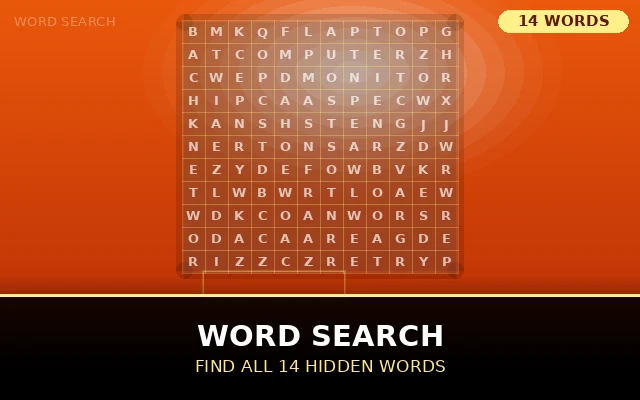
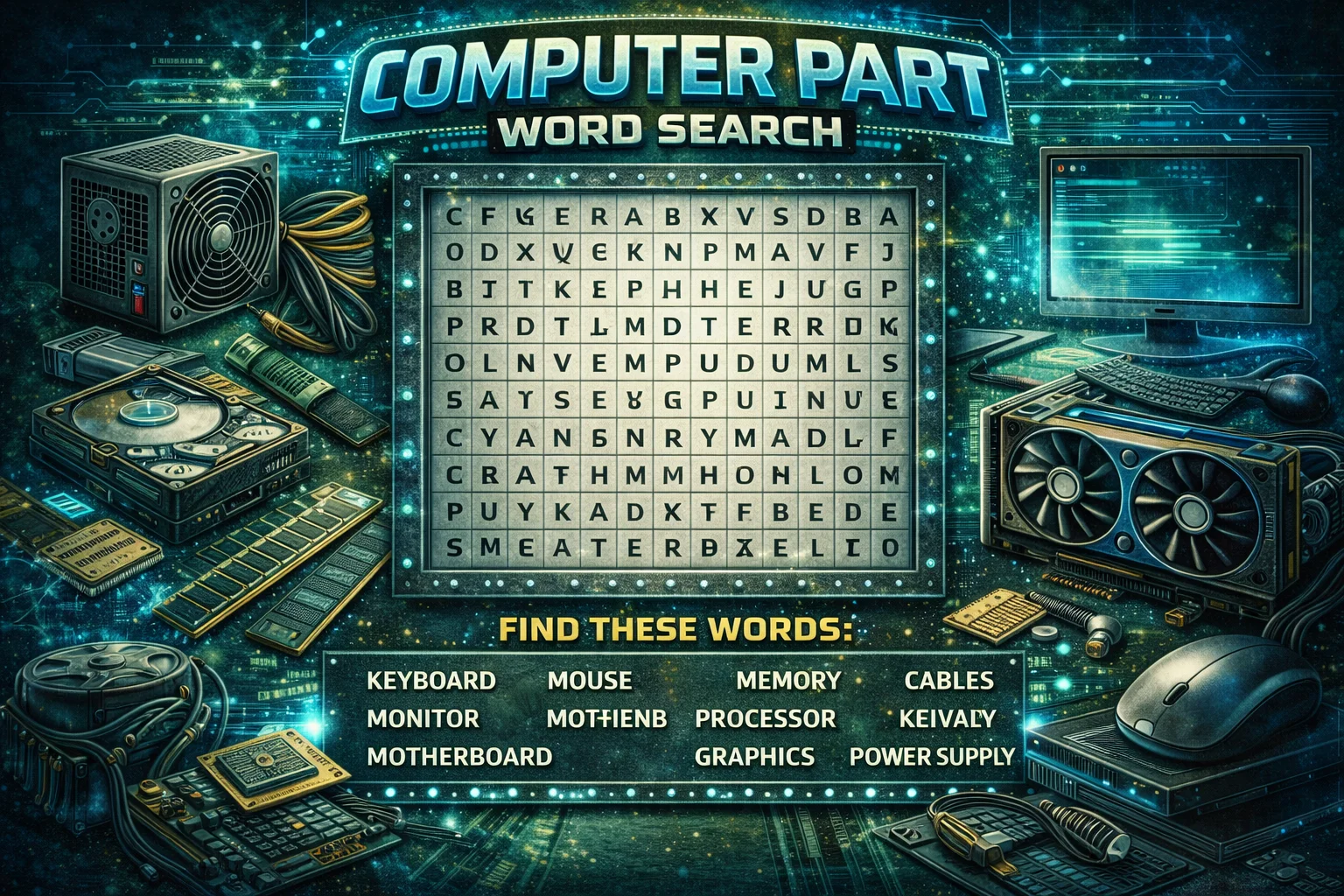
A computer parts word search is a letter-grid puzzle in which hardware terms everything from MOUSE and KEYBOARD to NORTHBRIDGE and HEATSINK are hidden horizontally, vertically, diagonally, or in reverse among filler letters. The solver scans the grid to locate and circle each hidden word.
That sounds simple. But the underlying learning mechanism is surprisingly sophisticated.
The Neuroscience of Puzzle-Based Vocabulary Learning
Every time your eyes sweep across a letter grid searching for the word MOTHERBOARD, your brain performs a remarkable sequence of operations: it loads the target spelling into working memory, rapidly scans visual input for matching patterns, generates a small dopamine reward each time a match is confirmed, and re-encodes the word's spelling into longer-term memory through repetition.
- What Is a Computer Parts Word Search And Why Does It Work So Well?
- The Neuroscience of Puzzle-Based Vocabulary Learning
- Puzzles:
- Why Hardware Vocabulary Is Uniquely Challenging
- Complete A to Z of Computer Parts That Appear in Word Search Puzzles
- Processing & Computation
- Memory Short-Term and Long-Term
- The Motherboard Ecosystem
- Power and Cooling
- Connectivity and Input/Output
- The Four Levels of Computer Parts Word Search Difficulty Explained
- Foundation (Ages 6 to 10)
- Intermediate (Ages 11 to 14)
- Advanced (Ages 15 to 18 and Adult Learners)
- Professional (Certification Preparation and IT Specialists)
- How Computer Parts Word Searches Support STEM Curriculum Objectives
- Computer Science and ICT Hardware Literacy
- Mathematics Spatial Reasoning and Pattern Recognition
- English Language Arts Technical Writing and Vocabulary
- SEND and Differentiated Learning
- Six Proven Solving Strategies That Will Transform Your Results
- Anchor on Rare Letters
- Work Longest Words First
- Systematic Row and Column Scanning
- Read Abbreviations as Letter Sequences, Not Words
- Use Backward Reading Deliberately
- Process of Elimination Marking
- How to Design a Professional-Quality Computer Parts Word Search from Scratch
- Define the Learning Objective
- Build a Precisely Targeted Word List
- Select the Right Grid Dimensions
- Choose a Word Search Generator
- Add Learning Extensions
- Where to Find the Best Free Computer Parts Word Search Resources in 2025
- What to Look For in a High-Quality Resource
- Digital vs. Print: Which Format Is Better?
- Conclusion
This process search, match, reward, encode happens dozens of times in a single puzzle session. Neuroscientists who study memory formation refer to this as retrieval practice: the act of actively searching for a known item strengthens the neural pathway associated with it far more effectively than passively reading or copying the same word.
For computer hardware vocabulary specifically, this matters enormously. Technical terms like CAPACITOR, SOUTHBRIDGE, or DISPLAYPORT are rarely encountered in everyday language, which means they need more repetitive exposure to stick. A word search provides exactly that exposure in the most efficient possible format.
Puzzles:
Why Hardware Vocabulary Is Uniquely Challenging
Computer parts vocabulary presents specific challenges that make word-search learning especially valuable. Many terms are abbreviations (CPU, GPU, RAM, PSU, NIC) that learners must associate with full names and functions simultaneously. Others are compound words (HEATSINK, MOTHERBOARD, HARDDRIVE) that are easy to misspell. Still others are borrowed from physics or engineering (CAPACITOR, RESISTOR, TRANSISTOR) and feel intimidating to non-technical learners.
A computer parts word search strips away that intimidation. The learner encounters CAPACITOR not in the middle of a complex circuit diagram, but as a hidden word in a friendly grid. That first, low-pressure exposure plants a seed of familiarity that makes every subsequent encounter with the word in class, in a textbook, in a lab easier to process.
Complete A to Z of Computer Parts That Appear in Word Search Puzzles
Understanding what each component does transforms a computer parts word search from a letter-hunting exercise into a genuine knowledge-building session. Here is a structured overview of every major hardware category you will encounter, along with the specific terms most commonly hidden in puzzles.
Processing & Computation
The Central Processing Unit (CPU) is the primary instruction-executing chip in any computer. Modern CPUs have multiple cores physical processing units on a single chip allowing them to handle many tasks simultaneously. Related word search terms include CORE, SOCKET, CACHE, CLOCK, THREAD, and PIPELINE.
The Graphics Processing Unit (GPU) began life as a specialist chip for rendering video game graphics but has since become central to AI model training, video editing, scientific simulation, and cryptocurrency mining. GPU word searches often include SHADER, RASTER, VRAM, and RENDER alongside the GPU acronym itself.
Increasingly, modern computers integrate both CPU and GPU onto a single chip known as an APU (Accelerated Processing Unit) or SoC (System on Chip). These newer terms appear in advanced-level puzzles targeting learners following current industry trends.
Memory Short-Term and Long-Term
Random Access Memory (RAM) holds the data the CPU is actively working with. The faster and larger the RAM, the more programmes a computer can run simultaneously without slowing. Current standards include DDR4 and DDR5 both terms feature in intermediate and advanced word search puzzles. Related terms: DIMM, LATENCY, BANDWIDTH, CHANNEL.
Read-Only Memory (ROM) stores firmware the permanent instructions a computer uses to start up before the operating system loads. The BIOS (Basic Input/Output System) and its modern replacement UEFI (Unified Extensible Firmware Interface) are stored here. These terms increasingly appear in computer parts word search puzzles aimed at secondary school students and above.
Storage memory encompasses Hard Disk Drives (HDD), which use spinning magnetic platters, and Solid State Drives (SSD), which use flash memory chips. NVMe (Non-Volatile Memory Express) is the high-speed interface standard for the fastest modern SSDs. Related terms include SATA, RAID, CACHE, and PARTITION.
The Motherboard Ecosystem
The motherboard is the central hub that physically connects every component in a computer. It contains the CPU socket, RAM slots, PCIe expansion slots, SATA connectors for storage, the CMOS battery (which maintains date and time settings), audio and USB headers, and the chipset.
The chipset manages communication between the CPU, RAM, and peripheral devices. It historically consisted of two chips the NORTHBRIDGE (handling high-speed connections to RAM and GPU) and SOUTHBRIDGE (handling slower connections to USB, audio, and storage). Modern CPUs have absorbed most northbridge functions, but NORTHBRIDGE and SOUTHBRIDGE remain common word search puzzle terms due to their prominence in computing curricula.
Additional motherboard-related terms that appear in puzzles: VRM (Voltage Regulator Module), PCIE (Peripheral Component Interconnect Express), ATX (Advanced Technology eXtended the standard motherboard form factor), BIOS, UEFI, CMOS, and POST (Power-On Self-Test).
Power and Cooling
The Power Supply Unit (PSU) converts AC mains power into the DC voltages (typically 3.3V, 5V, and 12V) that computer components require. PSU wattage, efficiency ratings (measured by the 80 PLUS certification system), and connector types (ATX, EPS, PCIe) are terms that appear in more advanced word search puzzles.
Thermal management is equally critical. A HEATSINK is a passive aluminium or copper component that absorbs heat from a chip. A COOLER adds a fan to actively move air across the heatsink. Liquid cooling systems use a PUMP, RADIATOR, RESERVOIR, and WATERBLOCK. THERMAL PASTE (also called thermal compound or TIM Thermal Interface Material) fills the microscopic gaps between a chip and its heatsink to improve heat transfer.
Advanced cooling-themed word searches may include AIO (All-In-One liquid cooler), CUSTOM LOOP, RPM (fan speed), and TDP (Thermal Design Power a measure of how much heat a chip generates).
Connectivity and Input/Output
Modern computers communicate via a rich ecosystem of physical and wireless standards. Physical ports include USB (Universal Serial Bus in versions USB 2.0, USB 3.0, USB 3.1, USB 3.2, USB4, and USB-C), HDMI (High-Definition Multimedia Interface), DISPLAYPORT, ETHERNET (for wired networking), THUNDERBOLT (Intel's high-speed data and display protocol), and AUDIO JACK.
Wireless standards include WIFI (technically IEEE 802.11) and BLUETOOTH. Network Interface Cards (NIC) handle wired networking, while WLAN adapters manage wireless connectivity. These terms form a complete connectivity vocabulary cluster in puzzle design.
Peripheral devices external devices connected to the computer include KEYBOARD, MOUSE, MONITOR, PRINTER, SCANNER, WEBCAM, MICROPHONE, SPEAKER, and DRAWING TABLET. Entry-level computer parts word search puzzles often focus heavily on peripheral terms because they are the most visible and familiar components.
|
Category |
Common Terms |
Difficulty Level |
|
Processing |
CPU, GPU, APU, CORE, CACHE |
Beginner–Intermediate |
|
Memory |
RAM, ROM, DDR5, NVMe, SSD |
Beginner–Advanced |
|
Motherboard |
PCIe, BIOS, UEFI, NORTHBRIDGE 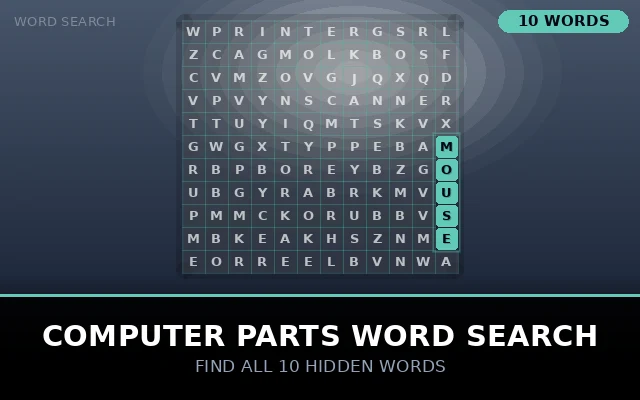 TRY OUR PUZZLEComputer Parts Word SearchKeyboard, monitor, mouse and more. Play our Computer Parts word search and learn essential hardware vocabulary. Free ... Play Puzzle |
Intermediate–Advanced |
|
Power & Cooling |
PSU, HEATSINK, AIO, TDP |
Intermediate–Advanced |
|
Connectivity |
USB, HDMI, ETHERNET, THUNDERBOLT |
Beginner–Intermediate |
|
Peripherals |
KEYBOARD, MOUSE, MONITOR, WEBCAM |
Beginner |
The Four Levels of Computer Parts Word Search Difficulty Explained
One of the most important design decisions in any computer parts word search is difficulty calibration. A puzzle that is too easy produces boredom; one that is too hard produces frustration. The sweet spot challenging enough to require effort, achievable enough to deliver satisfaction is what generates genuine learning.
Here is a clear breakdown of how the four standard difficulty levels work, what distinguishes each from the others, and who each level is designed for.
Foundation (Ages 6 to 10)
Grid size: 8×8 to 10×10. Word count: 8–12 words. Word directions: horizontal and vertical only (no diagonal, no reverse). Font size: large and clear.
Word list focus: everyday, visible components MOUSE, SCREEN, KEYBOARD, PRINTER, SPEAKER, TABLET, CAMERA, CABLE. These are the parts a young child can point to on a real computer, creating a direct link between the puzzle vocabulary and physical reality.
The educational goal at this level is basic name recognition and letter pattern familiarity. Children who complete foundation-level puzzles repeatedly will develop unconscious familiarity with these spellings long before they encounter them in formal reading tasks.
Intermediate (Ages 11 to 14)
Grid size: 12×15 to 15×15. Word count: 15–20 words. Word directions: horizontal, vertical, and diagonal. Font size: standard.
Word list focus: internal components and abbreviations CPU, GPU, RAM, ROM, SSD, HDD, USB, HDMI, PSU, BIOS, HEATSINK, ETHERNET, GRAPHICS, BLUETOOTH. At this level, students are introduced to the vocabulary of internal hardware and begin to associate abbreviations with their full forms.
Diagonal word placement significantly increases difficulty and trains the eye to scan across multiple axes simultaneously a useful skill for data-rich visual tasks beyond puzzle solving.
Advanced (Ages 15 to 18 and Adult Learners)
Grid size: 18×20 to 20×20. Word count: 20–28 words. Word directions: all eight directions including reverse. Font size: standard or small.
Word list focus: technical terminology and standards NORTHBRIDGE, SOUTHBRIDGE, NVME, DISPLAYPORT, THUNDERBOLT, OVERCLOCKING, CHIPSET, CAPACITOR, TRANSISTOR, PCIE, DIMM, LATENCY, BANDWIDTH, VRM, FIRMWARE.
At this level, the puzzle becomes a genuine knowledge test. Solvers who do not know what OVERCLOCKING or DISPLAYPORT mean will find these long, unfamiliar words significantly harder to spot. Post-puzzle vocabulary review becomes essential for consolidating understanding.
Professional (Certification Preparation and IT Specialists)
Grid size: 22×25 or larger. Word count: 30–50 words. Word directions: all eight including reverse diagonals. Font size: small. Filler letters: deliberately chosen to create misleading partial matches.
Word list focus: certification-level terminology IOPS, LATENCY, THROUGHPUT, AIO, WATERCOOLING, TDPCOOLING, RAIDARRAY, SATAIII, M2SLOT, PCIEGEN4, DUALCHANNEL, FORMFACTOR, ATXSTANDARD, POSTCODE, BIOS FLASH.
Professional-level puzzles are used in IT training programmes, corporate onboarding sessions, and as supplementary study tools by candidates preparing for CompTIA A+, Network+, Server+, and related certifications. The dense grid and technical vocabulary mirror the precision of knowledge that exam questions demand.
How Computer Parts Word Searches Support STEM Curriculum Objectives
Educational policymakers and curriculum designers have increasingly recognised word search activities not as filler tasks but as legitimate pedagogical tools when used with intention. Here is a breakdown of how computer parts word search activities map to specific learning outcomes across STEM subjects.
Computer Science and ICT Hardware Literacy
National and state technology curricula consistently identify hardware literacy as a foundational competency. Students are expected to name, describe, and differentiate between core computer components before progressing to higher-level programming, networking, or systems administration topics. A well-sequenced computer parts word search programme covers this vocabulary requirement efficiently.
Specifically, students who complete a structured series of word search activities progressing from peripherals to internal components to system architecture demonstrate measurably faster recall of hardware terminology than students who rely solely on textbook reading or lecture notes, according to comparative studies in educational technology.
Mathematics Spatial Reasoning and Pattern Recognition
Word search puzzles develop spatial reasoning skills that are directly applicable to mathematical thinking. Tracking word paths across horizontal, vertical, and diagonal axes requires the solver to build and manipulate a mental map of the grid a two-dimensional spatial reasoning task. This is the same type of spatial thinking required for coordinate geometry, data visualisation, and algorithmic thinking.
For students who struggle with abstract mathematical concepts, concrete spatial reasoning practice through word search puzzles can serve as a valuable bridge to more formal spatial tasks.
English Language Arts Technical Writing and Vocabulary
Every computer parts word search is also a vocabulary lesson. Technical communication the ability to write and speak precisely about complex systems is one of the most in-demand professional skills in the modern economy. Students who build a broad, accurate hardware vocabulary through puzzle activities are better prepared to write technical documentation, communicate with IT support, and understand instructional content in further education.
SEND and Differentiated Learning
Computer parts word search puzzles are particularly valuable in Special Educational Needs and Disabilities (SEND) settings. The structured, self-paced format removes the social pressure of whole-class questioning. The familiar grid layout gives neurodiverse learners a consistent visual structure they can rely on. And the absence of time pressure means that learners who process information more slowly can still complete the activity successfully building the same vocabulary confidence as their peers at their own pace.
Six Proven Solving Strategies That Will Transform Your Results
Most people approach a word search by staring at the grid and hoping their eye catches something. This passive approach works for easy puzzles but fails badly when the grid is large, the words are technical, and the directions include backward diagonals. Here are six structured strategies that experienced puzzle solvers use to work through even the most challenging computer parts word search.
Anchor on Rare Letters
Computer hardware vocabulary is packed with uncommon letter combinations. The letter X appears in PCIeX, NVMe contains V and M in close proximity, THUNDERBOLT contains the TH digraph followed by UNDERBOLT. Uncommon letters are easy to find in a grid because they appear rarely in filler text. Locate the rare letter first, then expand outward to confirm the rest of the word.
Work Longest Words First
NORTHBRIDGE (11 letters), DISPLAYPORT (11 letters), MOTHERBOARD (11 letters), OVERCLOCKING (12 letters). Long words are paradoxically easier to find than short ones because they have unique visual fingerprints in the grid. Finding them early also eliminates large clusters of grid letters from further consideration, dramatically narrowing the search area for shorter terms.
Systematic Row and Column Scanning
Never jump randomly around the grid. Instead, scan left to right across every row from top to bottom. Then scan top to bottom down every column from left to right. Then run two diagonal scans. This systematic approach guarantees coverage of every grid cell and prevents the common frustration of staring at a grid for ten minutes only to find the missed word sitting in plain sight.
Read Abbreviations as Letter Sequences, Not Words
Solvers often miss abbreviations like USB, NIC, PCIe, and AIO because they subconsciously treat them as words rather than as three or four individual letters to locate in sequence. Train yourself to approach abbreviations letter-by-letter: find U, look adjacent for S, look adjacent to S for B. This sequential approach is far more reliable than attempting to spot the abbreviation as a visual whole.
Use Backward Reading Deliberately
Advanced puzzles hide words in reverse direction. Many solvers forget this rule and become confused when they cannot find a word after exhaustive forward scanning. Get into the habit of periodically re-reading promising letter sequences backwards. The word CACHE might sit right in front of you as EHCAC without your backward-reading habit alerting you to it.
Process of Elimination Marking
As you find each word, mark it off your word list immediately. This prevents wasted double-searching. More importantly, as the word list shortens, your brain can dedicate more working memory to the remaining targets, making each successive find faster than the last. The solving process should accelerate as it approaches completion a satisfying momentum that experienced solvers actively cultivate.
How to Design a Professional-Quality Computer Parts Word Search from Scratch
Creating a custom computer parts word search is a valuable skill for educators, tutors, and anyone who wants a puzzle perfectly tailored to a specific learning objective. Here is a complete design process used by professional puzzle creators.
Define the Learning Objective
The single most important question before designing any educational puzzle is: what do I want the learner to be able to do after completing this activity? If the objective is 'identify the names of five input devices,' the word list should feature exactly those five input devices not twenty other hardware terms that dilute the focus. Clarity of objective produces clarity of design.
Build a Precisely Targeted Word List
For a beginner puzzle: 10–15 words, all single terms, maximum 8 letters each. For intermediate: 15–22 words, mix of short and medium terms, abbreviations included. For advanced: 22–35 words, include multi-syllable technical terms, current standard names (DDR5, USB4, PCIe Gen 5). For professional: 30–50 words drawn directly from the target certification or job-role vocabulary.
One critical design rule: remove spaces from multi-word terms. HARDDRIVE not HARD DRIVE, POWERSUPPLY not POWER SUPPLY. Spaces create ambiguity in grid placement and confuse solvers.
Select the Right Grid Dimensions
A reliable formula: grid width and height should each be at least as long as your longest word, plus 20% padding. If your longest word is OVERCLOCKING (12 letters), your minimum grid dimension is approximately 15×15. For a 25-word puzzle with technical terms, a 18×20 grid provides sufficient density without excessive blank space.
Choose a Word Search Generator
Several reliable free generators exist for educators and hobbyists. Enter your word list, select grid dimensions, choose directional complexity (horizontal/vertical only for beginners, all eight for advanced), and generate. Most generators produce an answer key alongside the puzzle always download both at the same time.
After generation, always solve the puzzle yourself before distributing it. Verify that every word is findable, that filler letters have not accidentally created recognisable words, and that the overall experience feels satisfying.
Add Learning Extensions
A puzzle alone develops recognition. Pair it with one or more of these extension activities to develop deeper understanding: (a) definition matching match each found word to a description of its function; (b) draw-and-label draw a simple computer diagram and label each component found in the puzzle; (c) function sorting sort found words into categories (input/output, storage/memory, processing/cooling); (d) sentence construction write one sentence using each found word correctly in context.
Read More: Classic Movies
Where to Find the Best Free Computer Parts Word Search Resources in 2025
The internet offers a vast library of computer parts word search resources. Knowing how to evaluate quality quickly saves educators and learners significant time.
What to Look For in a High-Quality Resource
Current vocabulary: Does the word list include modern terms like DDR5, NVMe, USB4, PCIe Gen 5, and Thunderbolt 4? Puzzles published before 2020 may omit these now-standard terms.
Accurate answer key: Is a clear, accurate answer key provided alongside the puzzle? Resources without answer keys should be avoided for classroom use.
Appropriate difficulty labelling: Does the resource clearly state the target age or difficulty level? A puzzle labelled 'beginner' should feature simple, familiar terms not NORTHBRIDGE or HEATSINK.
Clean, readable formatting: Are letters large enough to read comfortably? Is the grid clearly separated from the word list? Poor formatting slows solving and reduces learning value.
Printable PDF format: For classroom use, a PDF format that prints cleanly across different printers and paper sizes is essential.
Digital vs. Print: Which Format Is Better?
Both formats offer real advantages, and the best educators use both strategically. Print puzzles develop handwriting coordination alongside vocabulary (as the solver physically circles each found word), require no technology access, and produce a physical artefact that students can keep and review. Digital puzzles offer instant feedback, timed modes that build solving speed, automatic highlighting, and the ability to regenerate infinite unique grids from the same word list.
For initial vocabulary introduction, print is generally preferable the slower, more deliberate pace of pencil-and-paper solving allows more processing time per word. For speed drills and review practice, digital formats are more efficient. Used together, they address different aspects of vocabulary acquisition.
Conclusion
We live in a world where computer literacy is no longer optional it is a baseline professional competency that spans every industry, from healthcare to finance to creative arts. And yet, the vocabulary of computer hardware remains intimidating to millions of learners who encounter terms like HEATSINK, CAPACITOR, or PCIe without any prior scaffolding.
The computer parts word search addresses this problem quietly and effectively. It introduces technical vocabulary without pressure, reinforces spelling through repetition, builds the pattern-recognition skills that underpin reading comprehension, and delivers the small cognitive rewards that keep learners motivated and engaged.
From a six-year-old pointing excitedly at the word MOUSE in their first grid, to a CompTIA candidate drilling NORTHBRIDGE and THUNDERBOLT in a professional-level puzzle the night before an exam, the format serves every stage of the hardware learning journey. Used with intention paired with extension activities, sequenced by difficulty, and supplemented with hands-on hardware exploration the computer parts word search is not just a fun activity.